Menus are the lists of links in your site's header and footer. Change a menu here and it changes on every page.
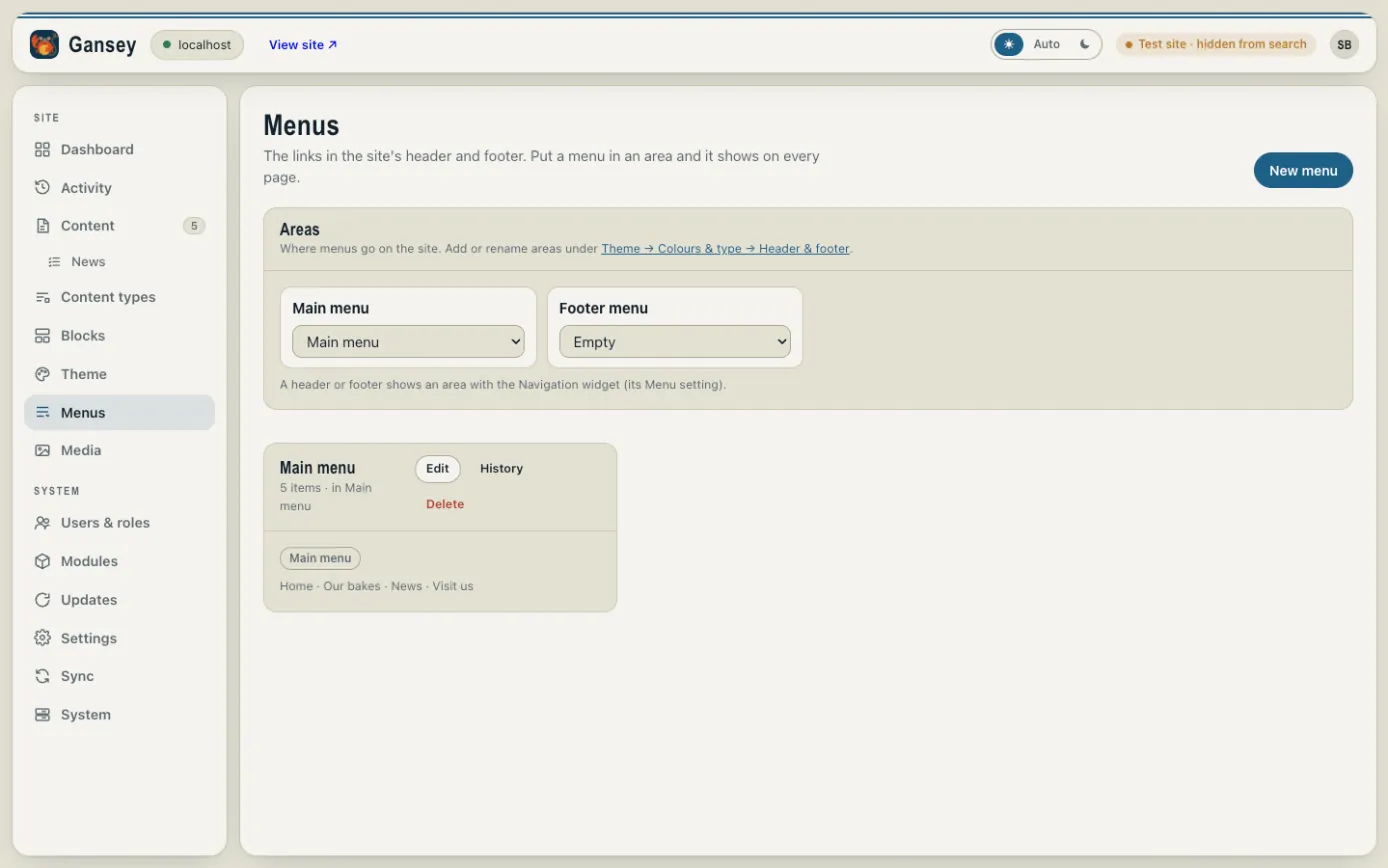
Where menus go
Under Areas you'll see the places on your site that can hold a menu, usually Main menu (in the header) and Footer menu. Use the drop-down under each to choose which menu shows there.
Changing a menu
Click Edit on the menu. Each link has a label (the words people see) and where it goes.
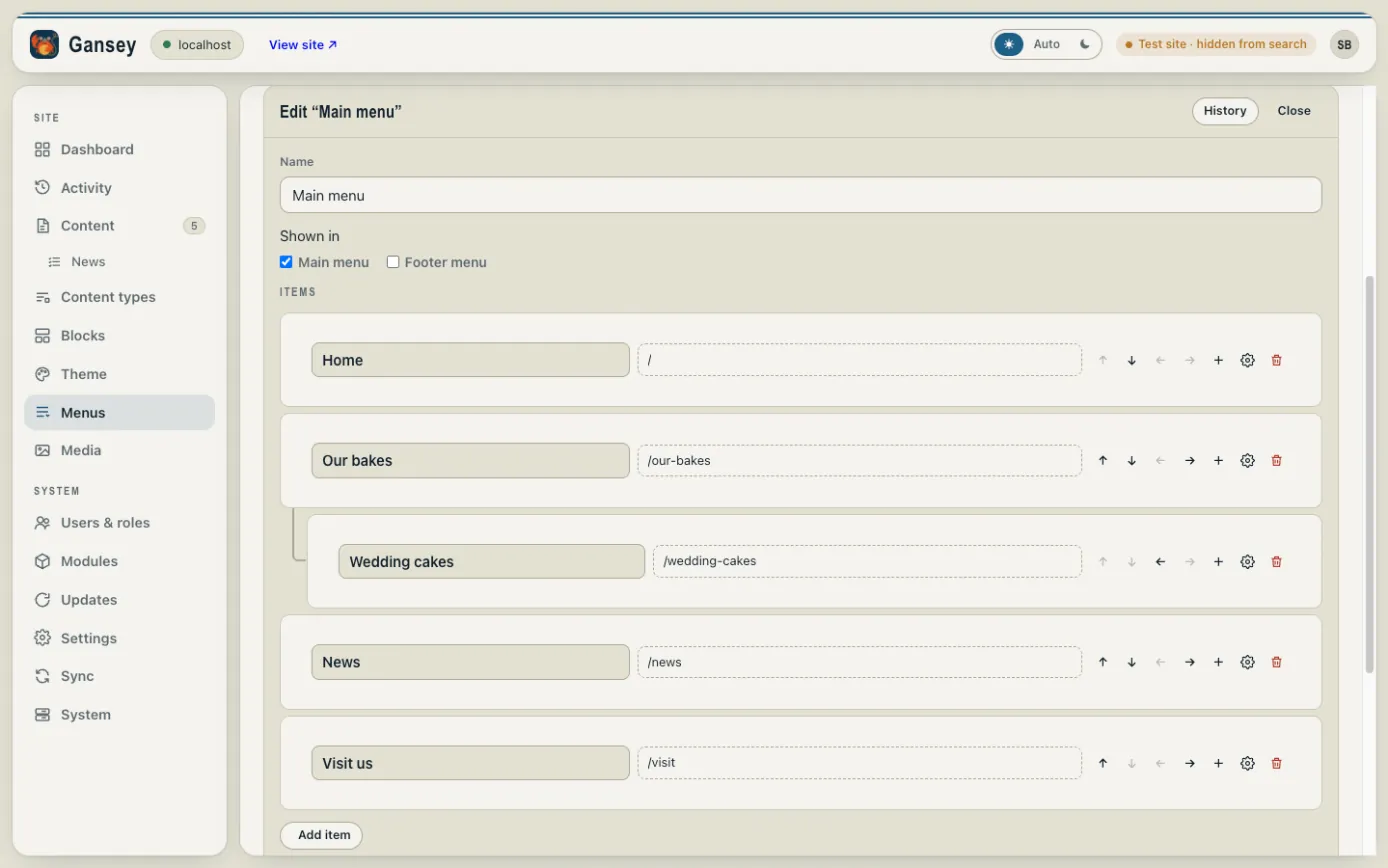
Next to each link are buttons to:
- move it up or down;
- move it right, to put it in a drop-down under the link above (here, "Wedding cakes" sits under "Our bakes"), or left to bring it back out;
- + add a link underneath it;
- the cog for more options, such as opening in a new tab;
- the bin to remove it.
Click Add item to add a new link to a page, a news post or any web address. When you're happy, click Save menu: it goes live straight away.
Making a new menu
Click New menu, give it a name, tick where it's Shown in, add your links and click Create menu.