Theme controls how every page on your site looks: colours, fonts, buttons, spacing, the header and the footer. A change here changes the whole site at once.
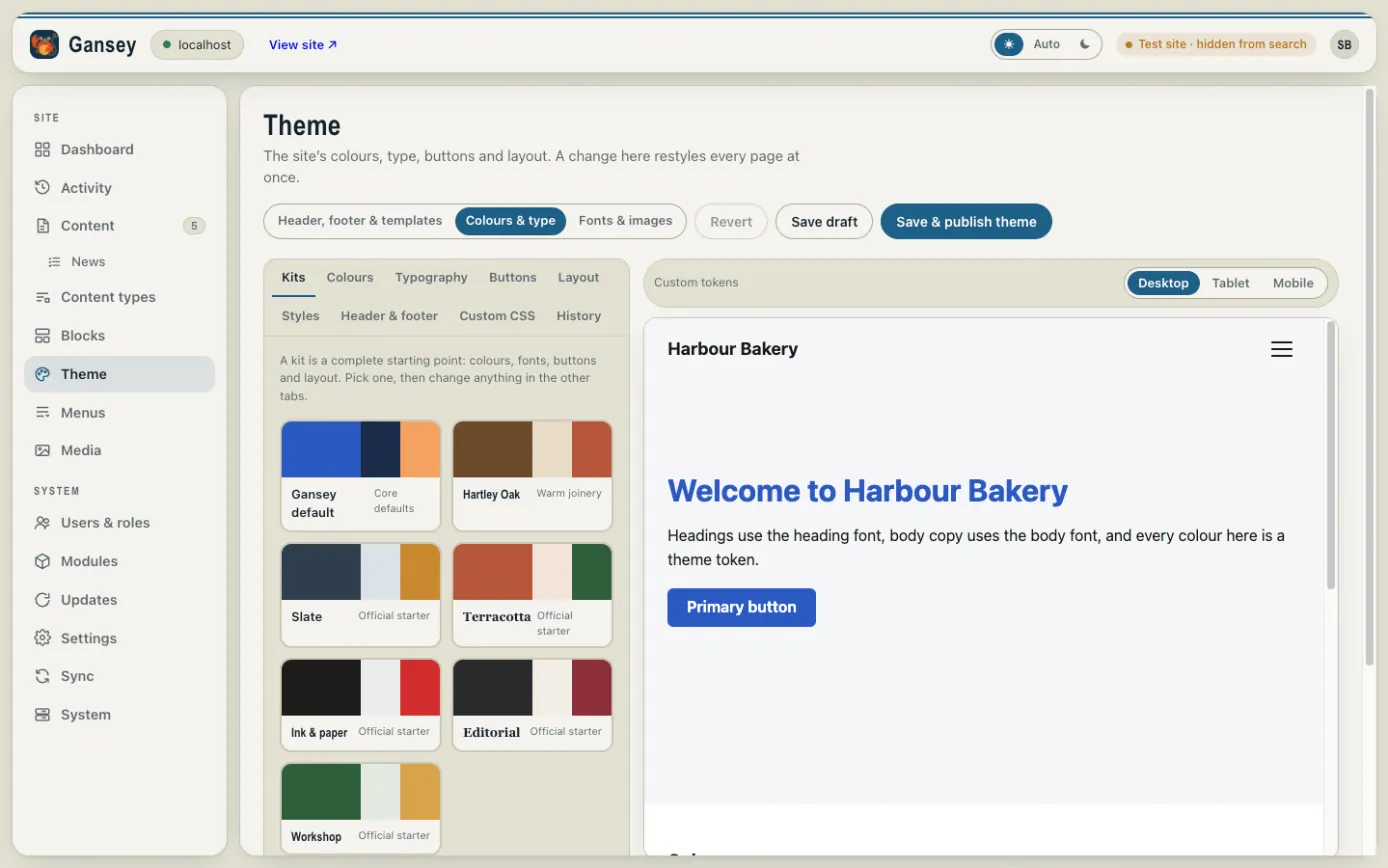
Colours and fonts
Click Theme, then Colours & type. The tabs on the left hold each group of settings:
- Kits: complete ready-made looks. Pick one as a starting point, then adjust anything.
- Colours: your brand colours, background and text.
- Typography: the fonts for headings and body text.
- Buttons and Layout: button shapes and page widths.
The preview on the right shows your changes as you make them. Use Desktop, Tablet and Mobile to check each.
Saving
- Save draft keeps your changes without showing them on the site.
- Save & publish theme puts them live on every page.
- Revert throws away changes you haven't saved.
- History lists earlier versions if you want to go back.
Header, footer and templates
Header, footer & templates holds the top and bottom of every page, and the layouts used for things like news posts. Each one is edited in the same page builder you use for pages (see Editing a page) and published the same way.