Nothing you change in the page builder appears on your website until you publish it, so you can experiment safely.
Save
Save (top right) keeps your changes as a draft. It never changes the live page. The builder also saves a draft for you about 30 seconds after you stop typing, so you won't lose work if you close the tab.
Publish
Publish puts the page live for visitors. If you have unsaved changes, it saves them first. A message at the bottom of the screen confirms it, for example "Published to /wedding-cakes".
Showing someone before it goes live
Click Share preview to make a link to your draft. Anyone with the link can see it for three days, without signing in. It's a good way to get a colleague or client to check a page first.
Going back to an earlier version
Every save is kept. Click the History button (the clock at the top) to see them all.
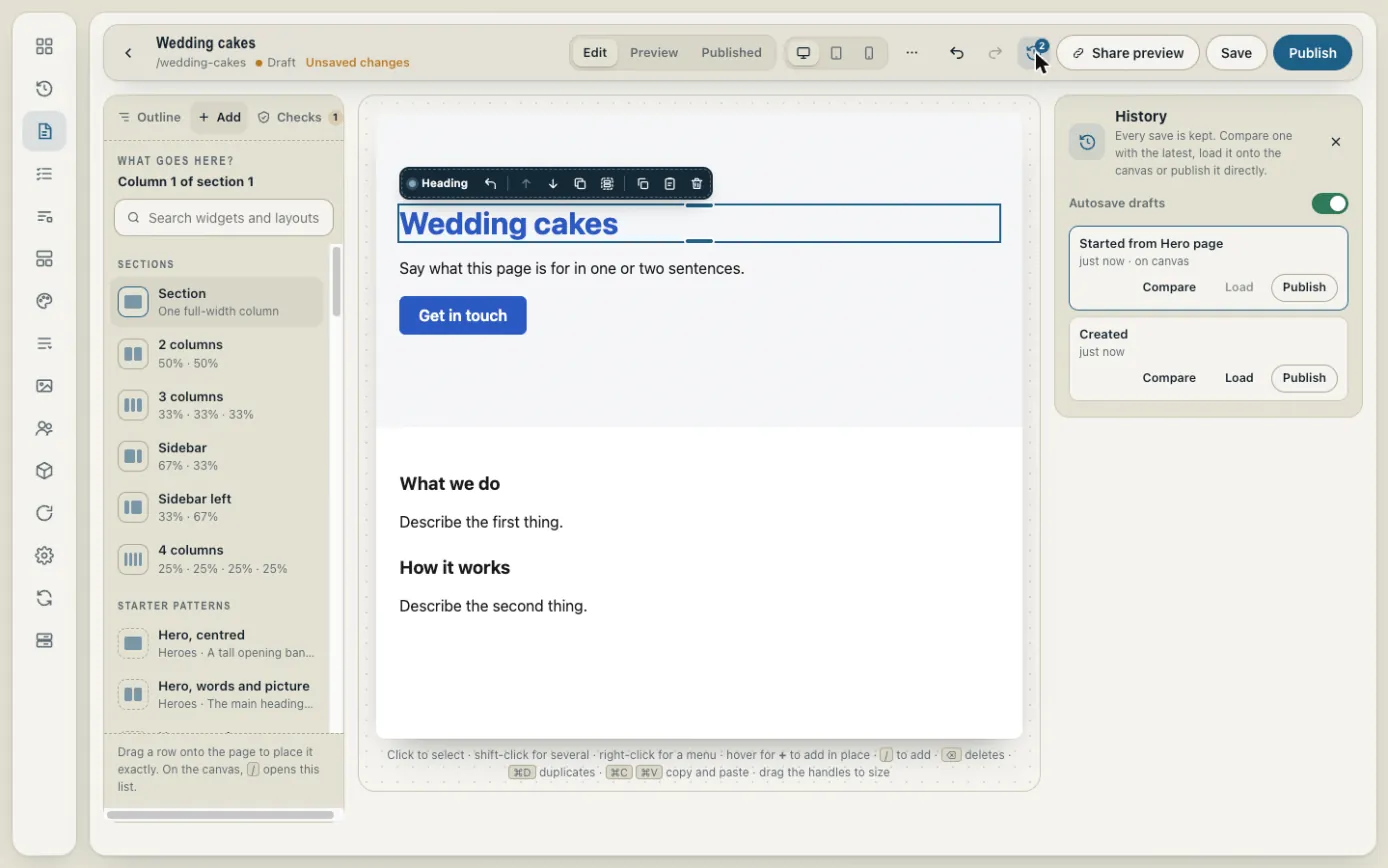
For each version you can:
- Compare it with the latest one to see what changed.
- Load it into the builder to carry on editing from there.
- Publish it to put that version live straight away.
Taking a page down
To take a page off your site without deleting it, open its settings and click Unpublish. It goes back to being a draft.