Every page on your site lives under Content in the menu on the left.
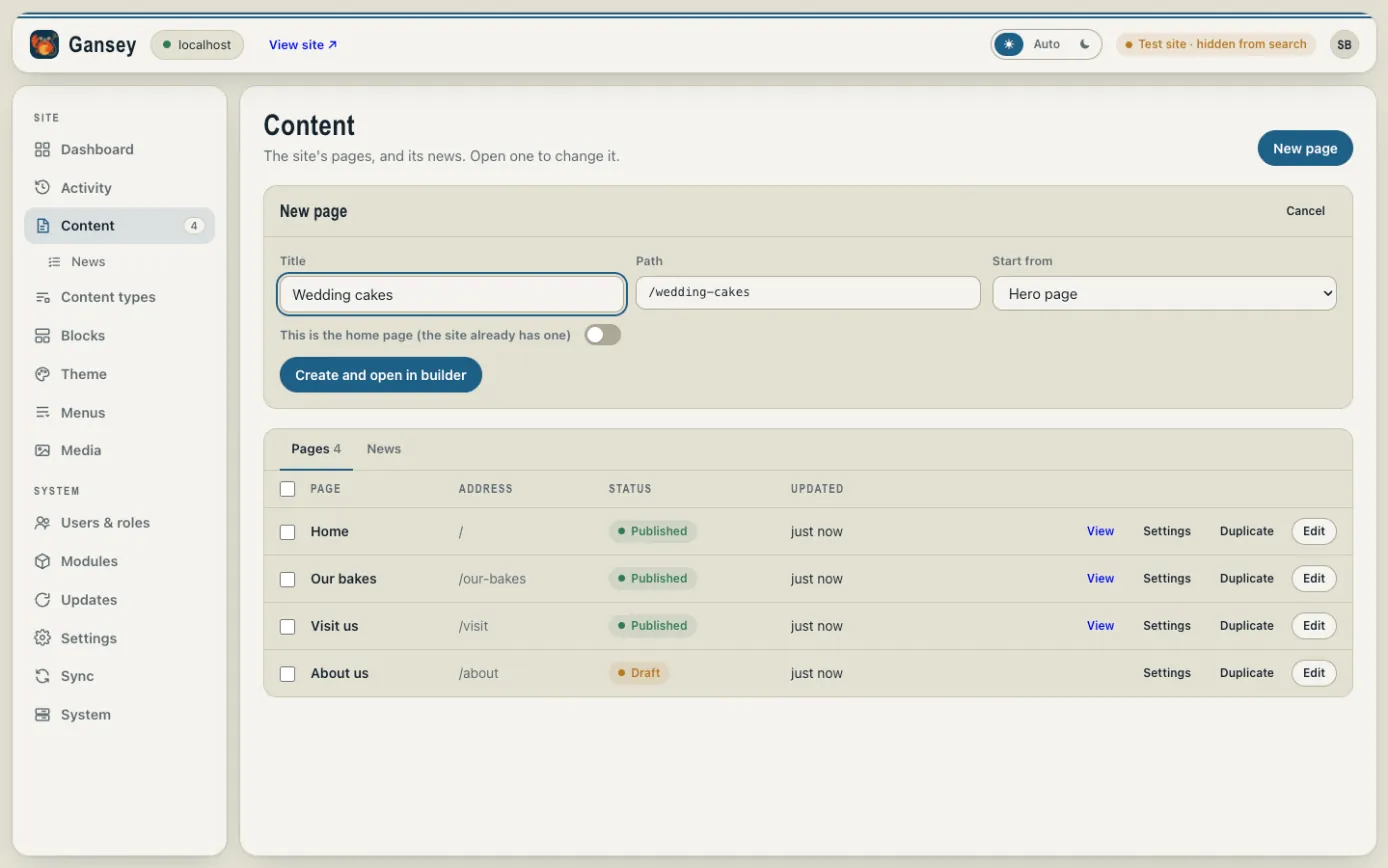
- Click Content, then New page in the top right.
- Type a Title, such as "Wedding cakes". The Path (the end of the page's web address) fills itself in from the title.
- Under Start from, choose Blank for an empty page, or a ready-made layout such as Hero page or Contact to give yourself a head start.
- Click Create and open in builder.
The new page opens in the page builder, where you add your words and pictures. See Editing a page.
The list of pages
The Pages list shows every page with its address and whether it's Published (live) or a Draft. Next to each page:
- View opens the live page.
- Settings changes its title, address and more. See Page settings.
- Duplicate makes a copy to start from.
- Edit opens it in the page builder.