Users & roles is where you let other people into the admin and decide what each of them can do. You need to be an administrator to see it.
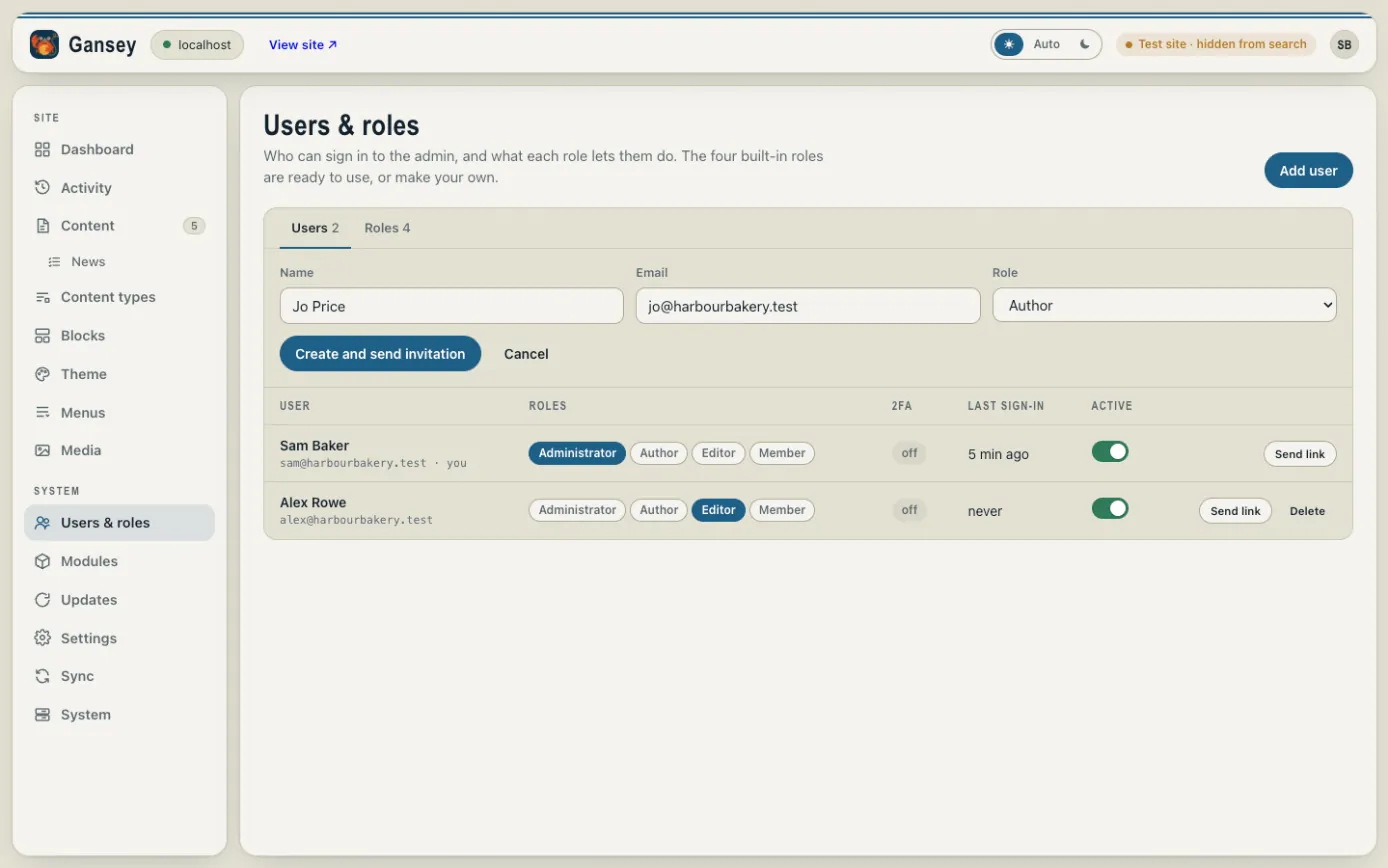
Adding someone
- Click Add user.
- Type their Name and Email.
- Choose a Role (see below).
- Click Create and send invitation. They get an email with a link to sign in.
What the roles mean
| Role | What they can do |
|---|---|
| Administrator | Everything, including people, modules, updates and settings. |
| Editor | Edit and publish pages and content, manage pictures, change the theme. |
| Author | Edit pages and upload pictures, but not publish. An editor or administrator puts their work live. |
| Member | No admin access. For people who sign in to the public site, if yours has accounts. |
To change someone's role, click a different role next to their name. Administrators can also make their own roles under the Roles tab.
Helping someone sign in
Send link emails that person a sign-in link, which is useful if they've forgotten their password.
Stopping someone signing in
Switch off Active next to their name. They can't sign in, but their work and history stay. Delete removes them completely.